


Getting Started
A quick guide to installing PlayPets, pinning the icon, and meeting your pet.
-
1. Install the extension
Visit the Chrome Web Store page for PlayPets and click Add to Chrome. Confirm the permissions when prompted.
Note: We do not collect your data. See Privacy for more information. -
2. Pin the extension
Pinning PlayPets allows you to control your cat. Follow the steps below:
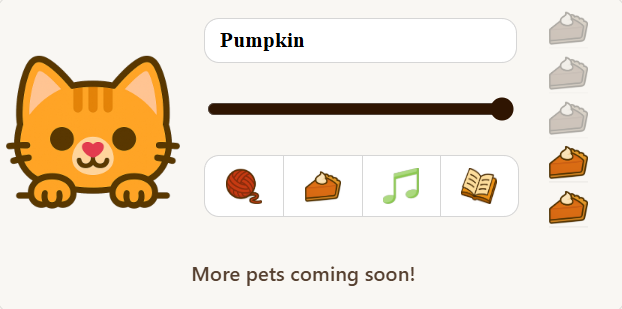
- Click the Extensions icon (the puzzle piece ) in Chrome’s toolbar.
- Find PlayPets in the list.
- Click the pin icon to keep PlayPets visible on your toolbar.
- Then click the PlayPets icon anytime to open the popup shown here.
-
3. Meet your cat & try different modes
After pinning, click the PlayPets icon in your toolbar to open the popup. Your cat will appear along the edge of your browser window—drag it to anywhere you like, feed it, or toggle between play, study, and music modes.
Enjoy your new browser pet!
Support & Help
If something doesn’t look quite right, or your cat isn’t behaving as expected, here are a few quick ways to get help.
Common quick checks
- Make sure the extension is installed and pinned in Chrome.
- Try reloading the page where you expect the cat to appear.
- Confirm that PlayPets is enabled in chrome://extensions.
- Chrome’s permissions do not allow the cat on the New Tab page. Make sure you’re on a normal website.
Need more help?
You can contact nick.justadev@gmail.com to reach the developer, report bugs, or request new features.
When you reach out, it helps to include:
- A short description of what you expected to happen.
- Any screenshots that show the issue.